How Grok Bot works: plugins, skills, routines, secrets
Map the parts of a social media assistant and decide what each part may do. Keep a person responsible for approving publication.
Need a word explained? Open the glossary →
Full lesson & technical details
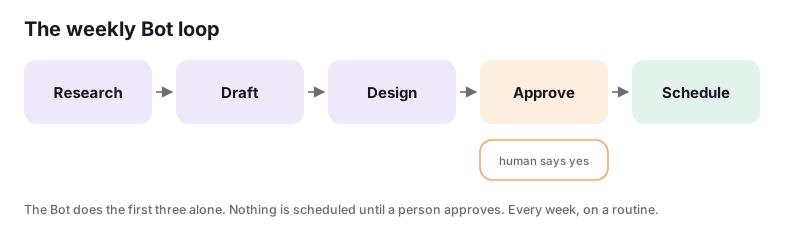
The four building blocks of a Bot that runs unattended, and the one rule that keeps it safe: Auto-review “ask first” on anything that publishes.
Grok Bot in one paragraph
Grok Bot is an agent with its own cloud computer that persists between chats. You give it plugins (connections to services, including any MCP server), skills (reusable instructions it loads by name), secrets (keys it can use but never prints) and routines (scheduled runs with a prompt). It can browse, write files, run code and call plugins. For social automation it is the brain; the scheduler is the hands.
The four blocks
| Block | What it is | For A2 |
|---|---|---|
| Plugin | A connected tool. Built-ins plus custom MCP servers | The scheduler (Blotato MCP or Postiz plugin), Google Drive, Canva |
| Skill | A named instruction file the Bot follows | client-voice-<name>, weekly-content, approval-email |
| Secret | An encrypted value referenced by name | POSTIZ_API_KEY, BLOTATO key header, Drive token |
| Routine | A schedule + prompt, e.g. every Thursday 09:00 | thursday-content-<client> |
Auto-review: the safety rule
Grok Bot can act on its own. Auto-review rules tell it which actions need a human first. Set these in the workspace before anything else:
- Ask first before any
scheduleorpublishcall to the scheduler. - Ask first before sending any email or message outside the workspace.
- Allowed to read, research, draft, generate images and write files.
Later, once the client trusts the engine, you relax one rule: scheduling is allowed for posts the client approved in the weekly email, still never for anything new.
Where things live
Each client gets a folder on the Bot’s computer: clients/<name>/voice.md, pillars.md, offers.md, banned.md, calendar.csv, log.csv, approved/. A skill tells the Bot to load that folder at the start of every run. No run begins from a blank context.
Worked example
Bot: I have drafted a test post for @zertiko_sandbox: “Testing the engine. Ignore.” with image test.png. Scheduling requires your approval under the Auto-review rule “ask first on schedule/publish”. Approve scheduling for 2026-11-08 09:00 CST? (yes / edit / cancel)
You: yes
Bot: Scheduled via Blotato, post id blt_8f2…; logged to clients/sandbox/log.csv.
Instructions you can copy (prompts)
Copy the instructions, replace the words inside {braces} with your details, and paste them into your AI tool. Check and edit the answer.
Set up this workspace for social media automation for an agency. Create Auto-review rules: ask me first before any call that schedules or publishes a post, and before sending any email or message; allow reading, research, drafting, image generation and file writes without asking. Create a folder clients/ and a skill named “load-client” that, given a client name, reads clients/<name>/voice.md, pillars.md, offers.md, banned.md and the last 30 rows of log.csv before doing anything else. Confirm the rules and the skill, and show me the folder tree.
Run the workspace-rules card in Grok Bot. Then ask the Bot to try scheduling a dummy post to your sandbox and paste what it does (it should stop and ask).
Done when: Auto-review rules in place and proven: the Bot asks before scheduling.. Sign up to save your work to your account.
Quick knowledge check
3 questions, 60% passes. Checkpoints, the certification exam (three versions) and the reviewed final project are unlocked with a free account.
- A routine in Grok Bot is:
- Secrets exist so that:
- The first Auto-review rule for social automation is: